Website Performance: Why Lighthouse Scores Aren’t the Whole Story
A good Lighthouse result doesn’t mean a fast experience. See how server response, caching, CDN, JavaScript and real devices shape website performance.
A Lighthouse result tells you how a page behaved in one controlled test. It does not tell you how your visitors experience the site.
Why a Lighthouse Score Is Not the Whole Story
A site owner runs a Lighthouse test, sees a green result in the high 90s and assumes the work is done. Then a client in another country says the page feels slow, or a phone takes a noticeable moment to respond when the menu is tapped. Both can be true at the same time.
Lighthouse is a good tool and worth using. But it is a diagnostic: it loads one page in a controlled setup and reports what it saw. Website performance, from a visitor’s point of view, covers more ground. It includes the network between them and your server, the device in their hand, what the browser keeps doing after the page appears, and whether the second visit is faster than the first.
This article explains what Lighthouse does and does not tell you, why a fast-looking result can still feel slow, and how to find the real bottleneck instead of chasing a single number.
What Lighthouse Actually Tells You
Lighthouse is an open-source auditing tool built into Chrome DevTools and used by PageSpeed Insights. It loads a page in a lab environment, applies simulated network and CPU throttling when testing mobile, and reports on performance, accessibility, best practices and SEO.
For performance, it is good at flagging concrete problems:
- Large or unoptimised images
- Render-blocking CSS and JavaScript
- Unused or heavy JavaScript
- Long main-thread work
- Slow server responses
- Layout shifts
Lab testing is valuable because it is repeatable. The conditions stay the same, so you can change something and see whether it helped. It also works before a site has any real traffic.
The limit is the same thing: a lab test is one simulated visitor, on one simulated connection, loading the page once. It cannot see your actual audience. It also measures responsiveness only indirectly. Total Blocking Time is a lab stand-in for how busy the browser is, while real interaction delay can only be measured from real usage.
Why a Fast Result Can Still Feel Slow
Before a browser can draw anything, a page load has to get through a chain of steps: a DNS lookup to find the server, a TCP connection, TLS negotiation to secure it, the request itself, the server’s response (Time to First Byte, or TTFB), the download and finally rendering. Every step can be slow for reasons a throttled lab run may not reproduce.

Common causes of a gap between the test and the experience:
- Distance. A server in one region needs more round trips to reach a visitor on another continent, and every connection step pays that delay.
- Server response time. An overloaded host, uncached dynamic pages or slow database queries all push TTFB up before the browser has anything to work with.
- Network quality. Congested mobile data and packet loss behave very differently from a clean test connection.
- Device capability. The same JavaScript that runs instantly on a developer laptop can take far longer on a mid-range phone.
- Browser differences. Engines schedule work, render and handle features such as WebGL differently.
- Third-party scripts. Analytics, chat widgets, ads and tag managers load from other hosts that you do not control.
- Caching. Whether files come from the browser cache, a CDN edge or the origin changes everything.
Throttling can model some of this, but a model is not the real network.
Lighthouse vs Real-Device Performance
A lab test is controlled, repeatable and good for debugging and catching regressions. Real-device testing is messier, but it reflects what visitors actually go through. You need both, because each hides what the other shows.
Test on:
- Desktop and mobile. The layout, the amount of JavaScript and the processing power available all differ.
- A real mid-range phone, not only a browser window resized to look like one.
- Slower networks, using DevTools throttling or real mobile data.
- More than one browser. Safari on iPhone can behave differently from Chrome on Android.
- Different locations. A test from one city hides problems that only appear far from your server.
Results also vary from run to run, so one run is a sample, not a verdict.
Finding the Real Bottleneck: Server, Network or Frontend
Before optimising anything, work out which part of the journey is actually slow. Fixing the wrong layer is the most common way to spend a week and change nothing.
| What you see | Likely area | What to check |
|---|---|---|
| Long wait before anything appears | Server or distance | TTFB, hosting, page caching, CDN, testing from another region |
| HTML arrives quickly, page stays blank or unresponsive | Frontend | JavaScript execution, render-blocking resources, bundle size |
| Slow on the first visit, fast on repeat visits | Caching | Cache headers, asset size, CDN cache hits |
| Slow mainly for visitors in one region | Network or server location | Testing from that region, CDN coverage, DNS |
| Loads fast but feels janky | Browser work or device | Long tasks, animations, GPU load, testing on a real phone |
For example, if the server takes a long time to answer, trimming CSS will not fix the main delay. If the HTML arrives quickly but the browser spends seconds executing JavaScript, a CDN will not help either. The Network panel in browser DevTools shows how long the browser waited for the server, and the Performance panel shows what the browser did afterwards.
Why Caching and CDNs Matter
Caching is the reason a returning visitor often gets a very different experience from a first-time test.
- Browser caching lets a visitor reuse files they already downloaded, based on the cache headers your server sends.
- Server-side caching serves a prepared page instead of rebuilding it on every request.
- CDN caching keeps copies of static files at locations closer to visitors.
A cache hit is served quickly from a nearby copy. A cache miss has to fetch the file from the origin server, which is slower. A test run right after a deployment or cache purge hits misses and can look very different from a returning visitor loading cached files. The reverse also happens: a warm CDN location near the tester can hide a slow origin that a visitor in a distant region will meet.
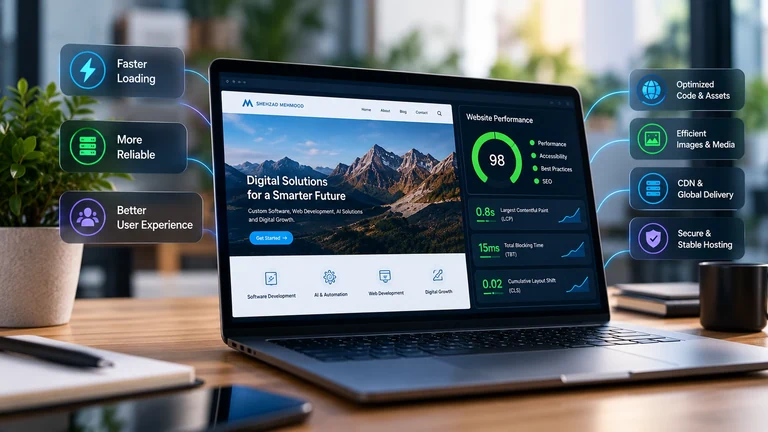
Versioned file names make long cache lifetimes safe: when a file changes, its URL changes, so visitors never receive a stale copy.
JavaScript, WebGL and Browser Work
A page can load quickly and still not be ready. Once the files arrive, the browser has to parse and run JavaScript, build the page structure, calculate layout and paint. A single task that runs for more than about 50 milliseconds can delay a tap or a keystroke, because the browser cannot respond while it is busy.
Animations and WebGL add another layer. Visual effects that run smoothly on a laptop with a capable GPU can drop frames on an older phone. A test environment without real GPU hardware can behave very differently from a visitor’s device, in either direction.
In practice that means:
- Load non-essential scripts later, and break up long tasks.
- Start heavy visual effects after the page is usable, with a sensible fallback.
- Keep third-party scripts to those that earn their place.
- Check interaction on a real phone, not only the load time.
Core Web Vitals and Real User Experience
Largest Contentful Paint (LCP), Interaction to Next Paint (INP) and Cumulative Layout Shift (CLS) describe loading, responsiveness and visual stability. They are most useful when they come from real visitors, through sources such as the Chrome User Experience Report, the field data in PageSpeed Insights and the Core Web Vitals report in Search Console. These are assessed at the 75th percentile, with published thresholds of 2.5 seconds for LCP, 200 milliseconds for INP and 0.1 for CLS to count as good.
Lab and field data will not always agree, and that disagreement is information. If the lab test is clean but real visitors struggle, look at devices, networks and locations. A low-traffic page may have no field data at all, so treat these metrics as measurements of experience rather than a number to push up in isolation.
A Better Way to Test Website Performance
A repeatable process beats a single run:
- Run Lighthouse several times and compare, rather than trusting one result.
- Test desktop and mobile separately.
- Try slower network conditions.
- Check behaviour on a real phone and in more than one browser.
- Review server response time and TTFB.
- Check caching and CDN behaviour, on a first and a repeat visit.
- Inspect JavaScript execution for long tasks.
- Review large assets and third-party scripts.
- Look at real-user and Core Web Vitals data when it is available.
- Compare results from different locations if your visitors are spread out.
Record the results over time, so you can tell a real regression from normal variation.
Final Takeaway
Lighthouse is a valuable diagnostic tool, but website performance is ultimately about how quickly and smoothly real people can reach, see, interact with and use a site. A sound approach combines lab testing, technical diagnostics, caching and CDN analysis, real-device testing and real-user data, and uses each one to answer a different question.
Use the number to find problems. Use real users to know whether they are solved.
FAQ
Is a high Lighthouse score enough to say a website is fast?
No. It shows how a page behaved in one controlled test. Real visitors can still meet slow server responses, distant networks, weaker devices or heavy scripts that the test did not reproduce.
Why does my site feel slower than the test suggests?
Common causes are server response time (TTFB), geographic distance, cache misses, third-party scripts and JavaScript work on slower devices. Testing from other locations and on a real phone usually shows which one it is.
What is the difference between lab data and field data?
Lab data comes from a controlled test such as Lighthouse and is repeatable. Field data comes from real visitors and shows the range of devices, networks and locations you actually serve.
Do caching and a CDN really change performance?
Yes. They decide whether files come from a nearby copy or from the origin server, and whether a returning visitor reloads anything at all. A first test after a cache purge can look very different from normal traffic.